If a perimeter radar system generates too many alarms, do not begin by reducing sensitivity across the whole site. Save a representative event, compare its target track with the intended boundary, identify what actually triggered the notification, and change one item at a time. Then repeat the required detection tests.
The objective is fewer unwanted alarms while preserving detection of the events the site must identify. A quiet alarm list is not evidence of a reliable perimeter if genuine test events are also being missed.
This guide provides a practical system-level troubleshooting workflow. For MSR-S200 projects, distinguish radar target data from the connected platform’s alarm zones, event rules and camera workflow. The recommendations below are not a claim that every function is available as a setting inside the radar.
1. First identify what kind of alarm problem you have
Perimeter radar false alarms can describe several different problems. Separating them prevents the wrong adjustment.
A suspected false detection
A track appears without a confirmed corresponding target. Review the full event and surrounding scene before classifying it as false. An empty camera image alone is insufficient: the camera may have been pointing elsewhere, recording too late or unable to see the target.
A real target causing an unnecessary alarm
A person walking outside the protected boundary can be a legitimate detection but an unwanted intrusion notification. Check the alarm area and event policy rather than assuming that the radar should not have detected the person.
Repeated notifications for one event
One continuous target movement may generate multiple alerts because of event-state handling, repeated delivery or application logic. Count distinct incidents separately from notification messages before changing detection settings.
For background on the sensing and integration roles, see the security radar guide.
2. Save the evidence before changing the configuration
Choose a representative unwanted alarm and retain its event time, target track where available, radar or source identifier, triggered rule, zone configuration and corresponding camera recording. Note site activity and weather at the time.
Compare several examples. Do they cluster at one position, repeat during a particular activity, or correspond to one target being reported repeatedly?
Use aligned timestamps when comparing radar, platform and video information. A mismatch can make a valid target appear absent from the recording. Keep the current configuration so that any change can be reversed.
Give unresolved events an unverified status rather than forcing every event into either confirmed intrusion or confirmed false alarm. The investigation should establish the cause, not simply remove an inconvenient notification.
3. Match the symptom to the next check
The following are investigation starting points, not proof that a particular component is faulty.
| Observed pattern | Check first | Useful next action |
|---|---|---|
| Tracks follow an outside path or adjacent road | Platform alarm boundary and map alignment | Compare the track with the surveyed protected area and required event policy |
| Events cluster near a moving branch, loose material or fence section | Physical movement in the scene | Correlate recordings and tracks, then inspect the suspected source safely |
| Implausible tracks recur near a large reflective structure | Scene geometry and possible reflected paths | Review the installation with the technical team before masking an area |
| The whole map appears displaced or the camera points away from the track | Coordinate mapping, orientation and time alignment | Check reference positions and known test movements |
| One continuous event creates many notifications | Platform event lifecycle and duplicate handling | Review event start, continuation, end and re-arm behaviour |
| Alerts coincide with connection loss or device restarts | Communication and device-health handling | Keep fault notifications distinct from intrusion events |
Weather correlation is a clue, not a diagnosis. Record what changed in the scene and compare it with the event evidence rather than assuming either that weather caused every alarm or that outdoor-rated equipment is unaffected by its environment.
4. Align the platform alarm zone with the real boundary
A radar observation area and an intrusion-alarm area serve different purposes. The first describes where targets can be detected; the second describes where the system should apply a particular alarm policy.
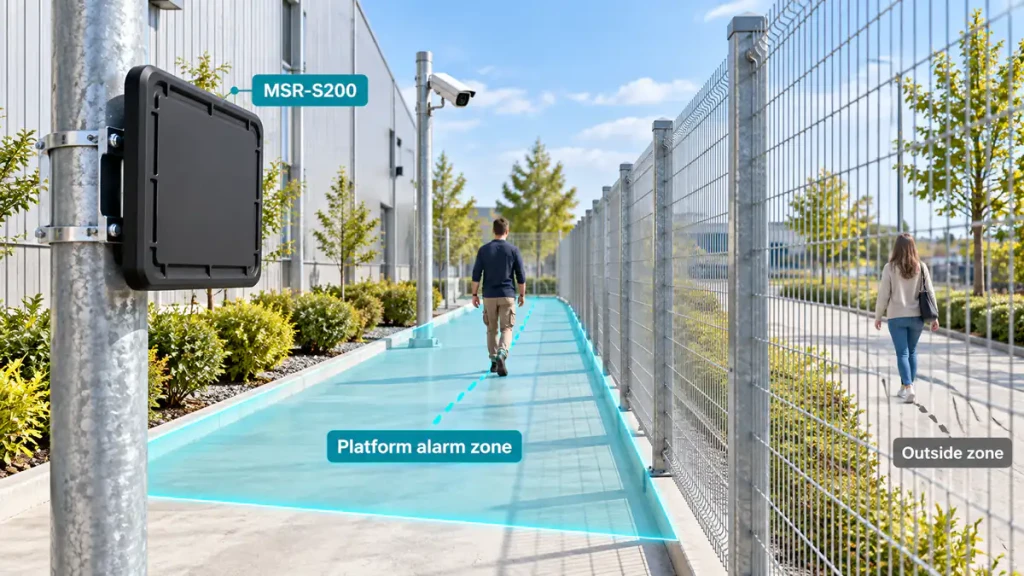
For example, a platform polygon drawn across a fence and onto a public footpath can turn ordinary outside movement into unwanted alerts. Correct the boundary mapping before reducing the ability to detect movement throughout the protected corridor.
Check map scale, radar position, orientation and coordinate transformation against known site references. Treat a fence shown on a map as a policy boundary, not an assumption that radar signals stop exactly at that line.
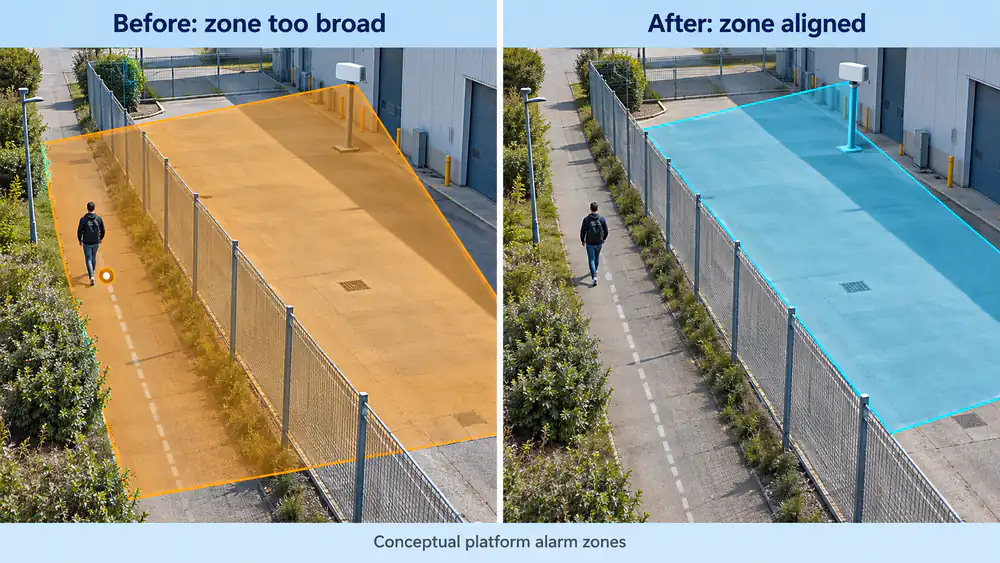 Conceptual example: align the platform alarm zone with the protected boundary; outside tracks may remain visible without triggering that zone’s intrusion rule.
Where the platform supports exclusion areas or separate zone policies, use them only after confirming the cause and the required coverage. An exclusion must not remove monitoring that the site relies on. Do not mask a region merely because several unresolved events occurred there.
Apply and test these rules in the component that actually implements them. Do not assume that a connected platform’s controls are native MSR-S200 radar features.
5. Review event rules without filtering out required detections
Once the spatial mapping is correct, review the rule that creates the notification.
If supported by the integrated system, direction, persistence, schedules or event-state rules may help express the site’s policy. Their availability and operation must be confirmed for that system.
Do not copy a universal delay or speed threshold from another installation. A persistence requirement that is too long can prevent a brief but required event from raising an alarm. A direction rule can also suppress an approach that the site intended to monitor.
Adjust one rule at a time and document the previous value, reason for change and expected result. Review both unwanted-event examples and required-detection tests after every meaningful change.
Camera verification provides additional context, but a missing or unclear image does not automatically invalidate radar evidence. Define how the platform handles unavailable video and unverified events instead of silently discarding them.
6. Inspect the installation before compensating in software
Check mounting stability, the intended clear corridor and changes in the environment. Loose brackets, newly stored materials or new structures can make an earlier configuration unsuitable.
Review correlated movement sources and possible reflections with the installer. Where permitted and safe, maintenance or a better mounting orientation may address the cause more directly than increasingly restrictive filtering.
Do not assume reliable detection through opaque walls or obstructions. Follow the device’s installation documentation; this guide does not prescribe a universal mounting height, angle or sensitivity setting.
After any physical relocation or aiming change, revisit coordinate mapping, alarm boundaries and camera alignment before returning the system to normal operation.
7. Retest detection, not just the unwanted-alarm count
Use an authorised, controlled test plan agreed with the site operator. Record expected results before starting so that success is not defined retrospectively by a quieter alarm list.
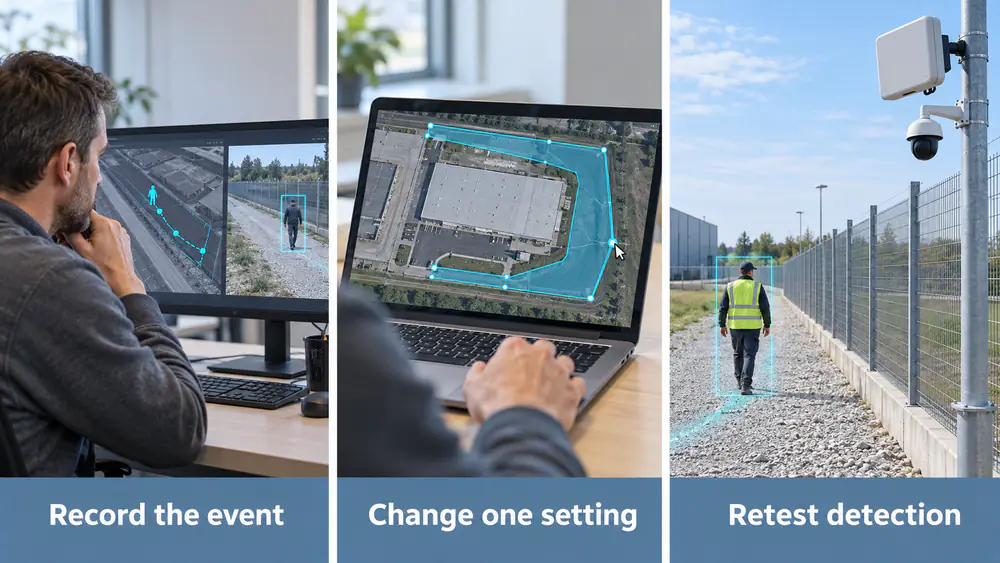 Record the event, change one setting and retest required detection before accepting the adjustment.
Include these checks:
- Required test movements in the protected area still produce the intended event and response within the agreed time.
- Routine outside movement does not create an intrusion notification under the configured policy.
- One continuous event produces the intended notification sequence without duplicate incident records.
- Camera cueing, recording and operator review remain correctly associated with the event.
- Communication interruptions remain visible as faults rather than being treated as an empty or secure scene.
Repeat the relevant checks across the required observation area and representative operating conditions. A short test in calm daylight does not establish performance for every condition the site experiences.
For comparison, record distinct unwanted incidents per radar-hour, the results of the agreed detection tests and event-to-notification delay using a consistent timing method. Keep notification-message counts separate from incident counts.
Use comparable observation periods and record differences in activity and weather. Fewer alerts during a quieter period do not, by themselves, prove that a configuration change improved performance. Controlled test results are site evidence, not a universal product accuracy claim.
8. Apply the workflow to an MSR-S200 project
The MSR-S200 perimeter security radar provides tracked-target identity, position and movement information over Ethernet using TCP. The connected security platform applies alarm-zone logic and coordinates the camera and response workflow.
That separation helps assign troubleshooting work correctly: installation and sensing issues require radar-side review, while a track correctly detected outside the protected area may require a platform-policy correction.
When requesting support, provide representative event times, available tracks and recordings, the affected boundary, installation photographs, recent changes and the platform involved. Share sensitive site records through an appropriate private support channel rather than publishing them with an article.
See the perimeter security solution for the overall workflow, or use the MSR-S200 enquiry form to discuss a deployment.
The practical target is fewer unnecessary alarms with verified detection preserved. No single filter or setting can guarantee zero false alarms for every perimeter.